July 2025
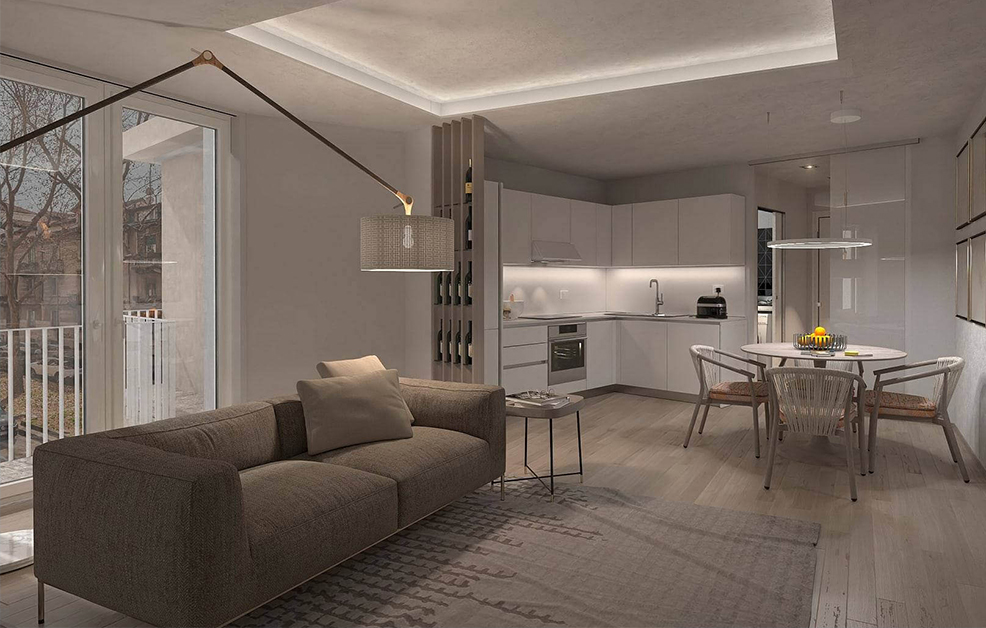
In the field of architecture and interior design, visual representation plays a crucial role in project communication. Photorealistic renders are now the standard for visualizing virtual environments, thanks to the possibility to produce three-dimensional images that are indistinguishable from reality. With the evolution of rendering and 3D modeling technologies, professionals can simulate materials, lights, shadows, and geometries with high fidelity, enabling top-level project evaluation and communication. In this article, we will explore in detail what photorealistic renders are, where they are used, and how they are technically created.
What Photorealistic Renders Are
A photorealistic render is a digital image produced through a rendering algorithm that processes a 3D scene to simulate the physical behavior of light, materials, and the surrounding environment, with the goal of achieving a visual output as close as possible to a photograph.
Technically, the process involves:
- 3D modeling of the scene (polygonal meshes, NURBS or parametric solids), where objects are virtually constructed.
- Assignment of physically accurate shaders to materials, defining how they interact with light.
- Configuration of a lighting system based on global illumination, simulating light diffusion in the environment.
- Render calculation using advanced algorithms such as ray tracing, path tracing or photon mapping, which trace light rays and their interactions with surfaces, just as in the real world.
The result is an image capable of reproducing complex optical properties such as refraction, dispersion, translucency, anisotropic reflection, and soft shadowing.
Where Photorealistic Renders Are Used
Understanding what they are is the first step. Now let’s explore the contexts where their visual power really makes the difference. Photorealistic renders have revolutionized visual communication across many industries.
Architecture and Building Design
In the architectural field, photorealistic renders are used to represent residential, commercial, or urban projects with visual and communicative accuracy.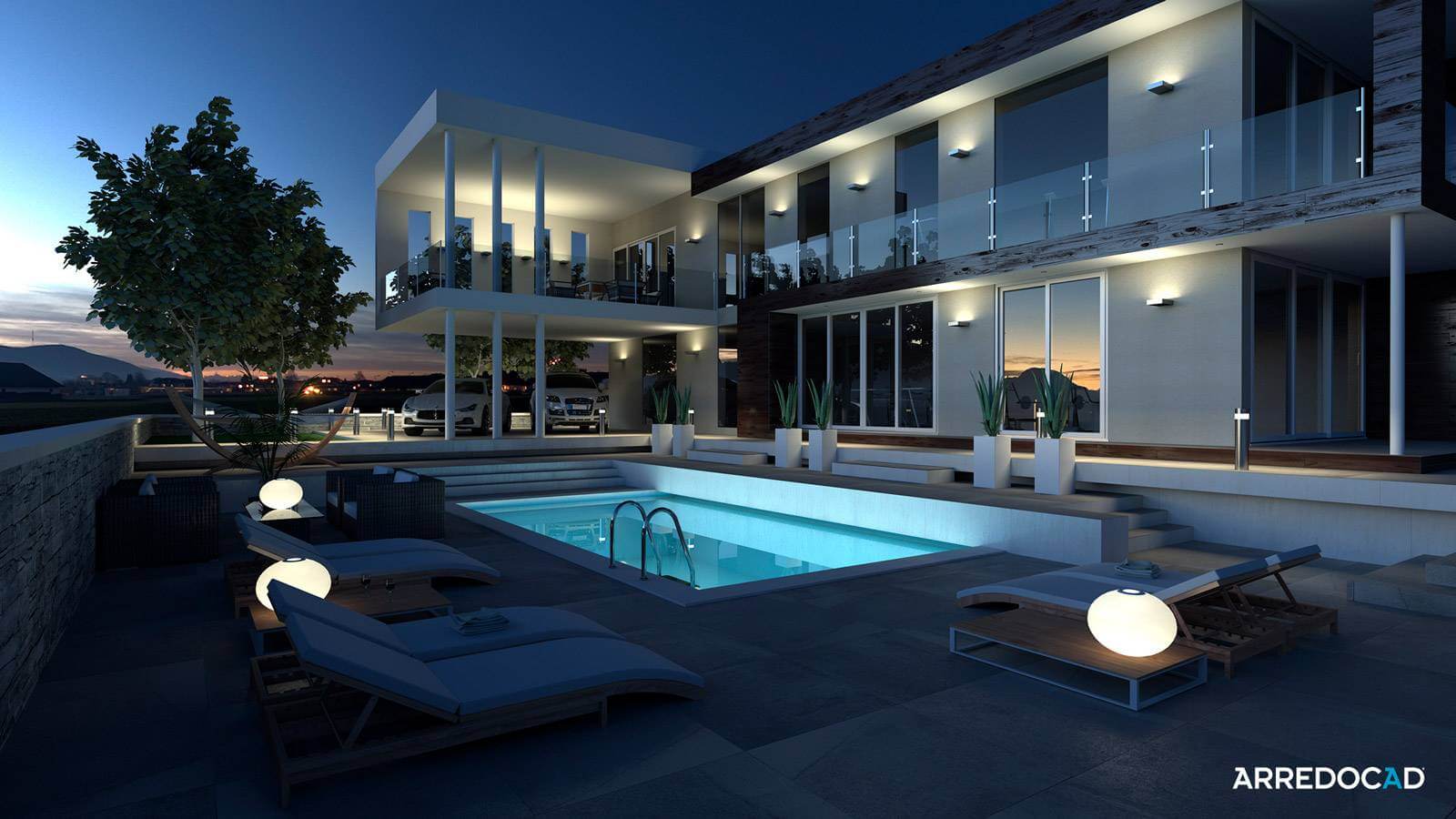
In the architectural field, photorealistic renders are used to represent residential, commercial, or urban projects with visual and communicative accuracy.
Interior Design and Home Design
In interior design, photorealistic renders are key to bringing non-existent spaces to life. They allow professionals to:
- Visualize spaces fully furnished with realistic natural and artificial lighting.
- Assess the combination of materials, textures, and colors faithfully.
- Simulate reflections on glossy surfaces, soft shadow effects, and how light interacts with fabrics and woods.
- Effectively convey the atmosphere and visual sensations of the designed space, allowing clients to “feel” the space.
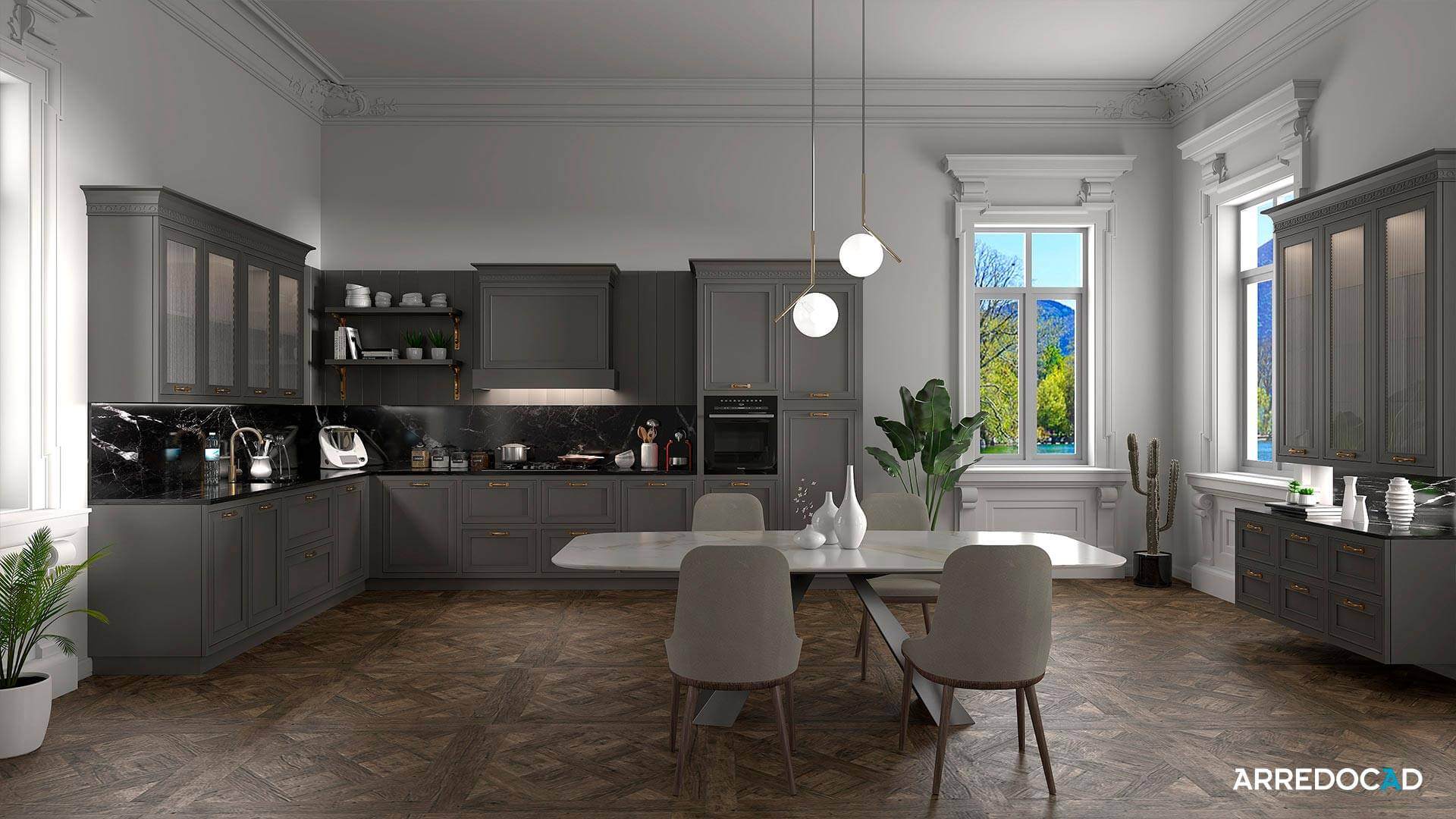
They are often used for client presentations, brochures, web content, and environments for product configurators.
Other Application Fields
The versatility of photorealistic renders makes them valuable in other sectors as well:
- Real estate marketing: to promote properties before construction or renovation, attracting potential buyers.
- Product design: to test shapes, materials, and functionalities of new products in a virtual environment, reducing physical prototyping costs.
- Automotive industry: for rendering prototypes and concept cars in stunning detail before production.
- Virtual staging: to virtually furnish real estate listings, making them more appealing on the market.
- Augmented reality and VR: to create interactive immersive models, offering an innovative user experience.
How Photorealistic Renders Are Made
Creating a photorealistic render means producing a digital image that looks like a real photograph. It starts from a three-dimensional project and meticulously curates materials, lighting, framing, and post-production. Let’s look at each phase with technical precision, explained in an accessible way.
3D Modeling
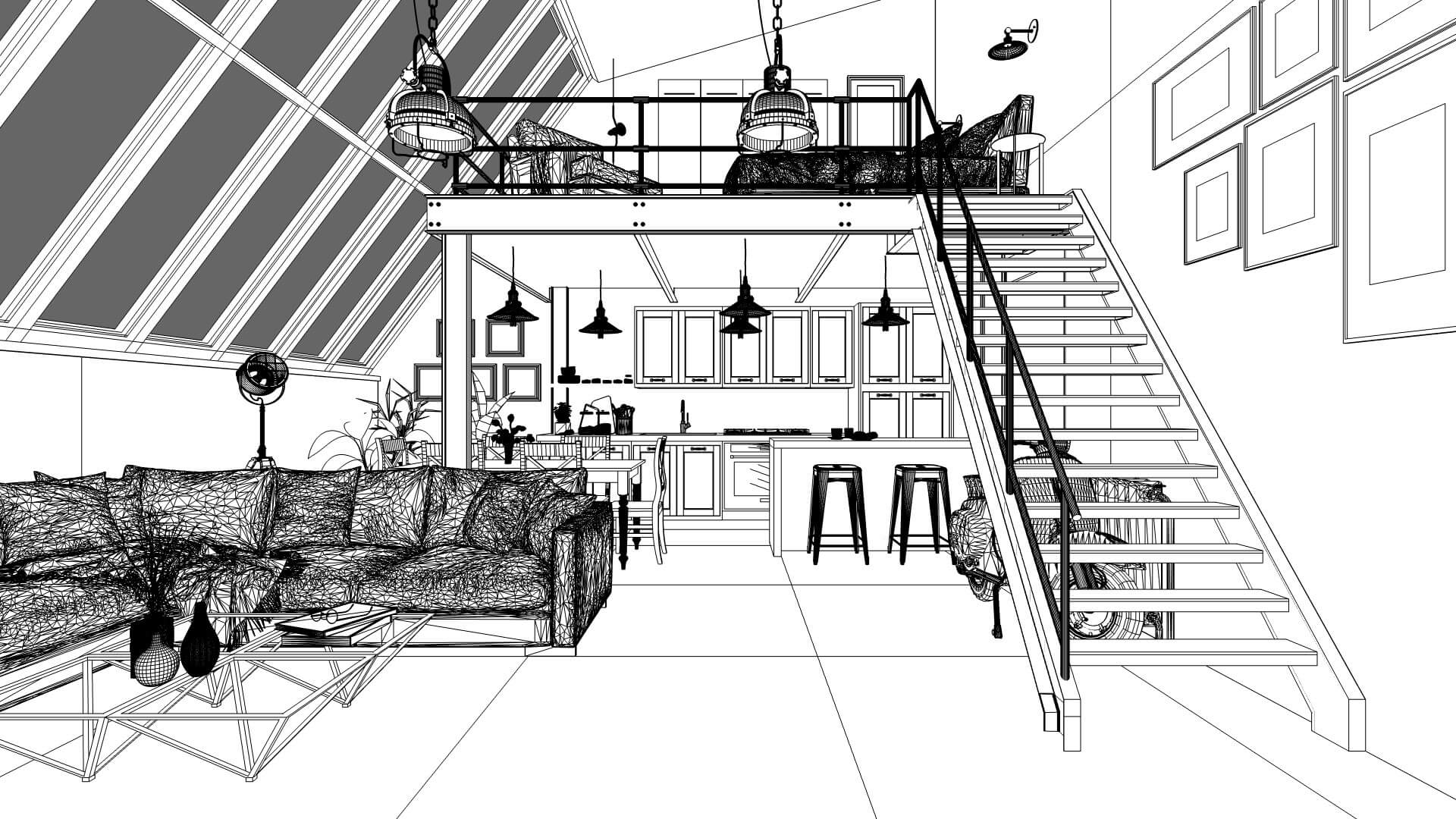
3D modeling is the stage where the scene is virtually built: walls, furniture, objects, and every visible element.
This takes place in 3D software using various techniques:
- Polygonal modeling, based on meshes made of connected triangles and squares
- Parametric modeling, where shapes are controlled by measurements and geometric rules (widely used in architecture), Importing CAD or BIM models, such as from AutoCAD or Revit, useful for integrating existing architectural projects
For more complex objects, such as fabrics or sculpted surfaces, techniques include:
- Subdivision surface, dividing surfaces for smoother, more fluid shapes
- Displacement, creating real surface reliefs (not just visual effects)
- Sculpting, a modeling technique simulating manual shaping of a form
Assignment of Physically Accurate Materials
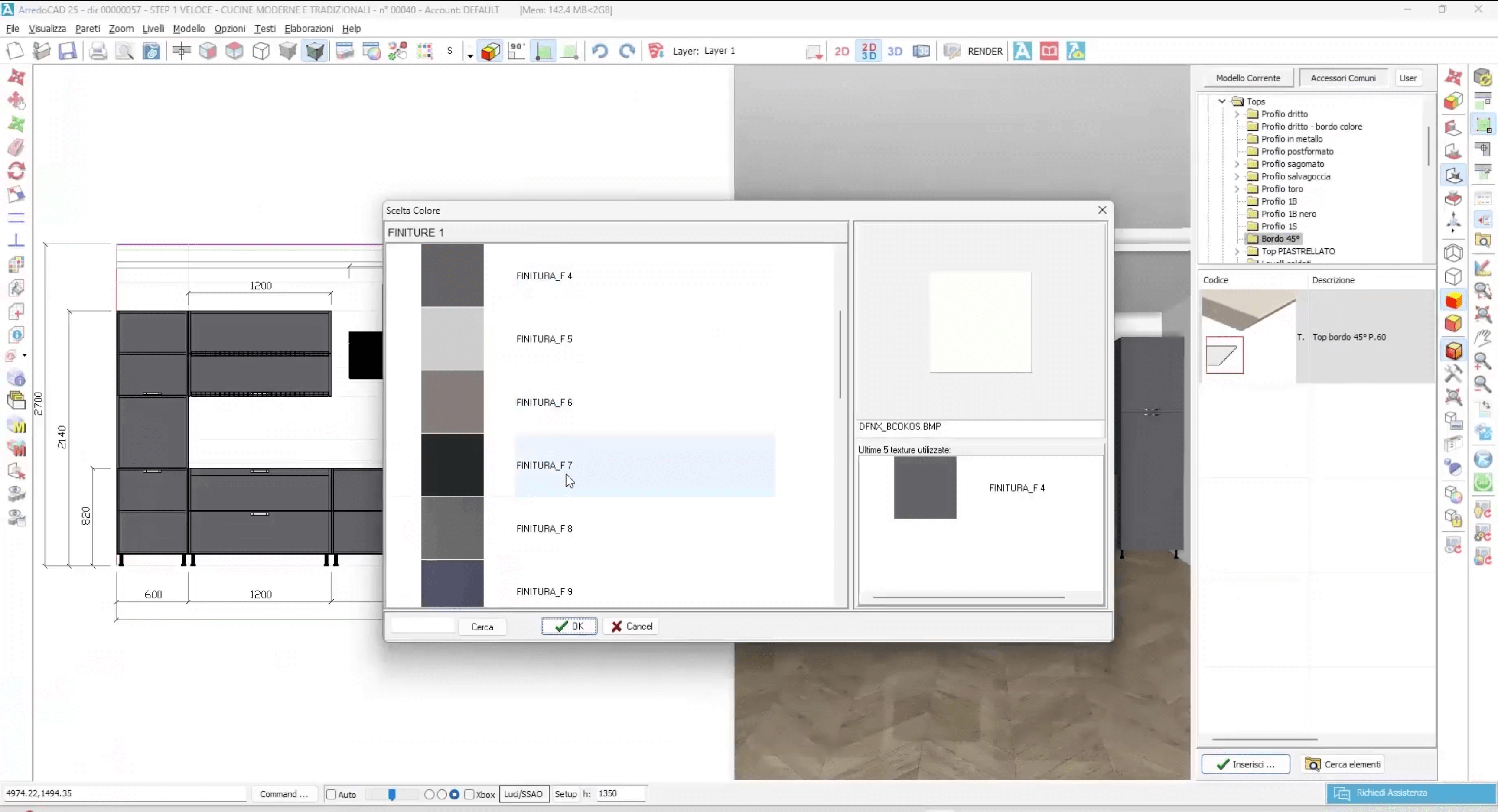
Once the objects are built, they need to be given the realistic appearance of materials, simulating how light interacts with each surface. PBR shaders (Physically Based Rendering) are used—materials that behave like their real counterparts. Each material is defined by specific parameters:
- Albedo: the surface’s base color, without light or shadow
- Roughness: indicates how rough or smooth the surface is (smoother = more reflective)
- Metalness: distinguishes metallic materials (reflective like mirrors) from non-metallic ones (like wood or plastic)
- Normal map: a texture simulating small surface reliefs, enhancing detail without changing geometry
- Transparency and IOR (Index of Refraction): define how light passes through and bends in the material, e.g., glass or liquids
Lighting
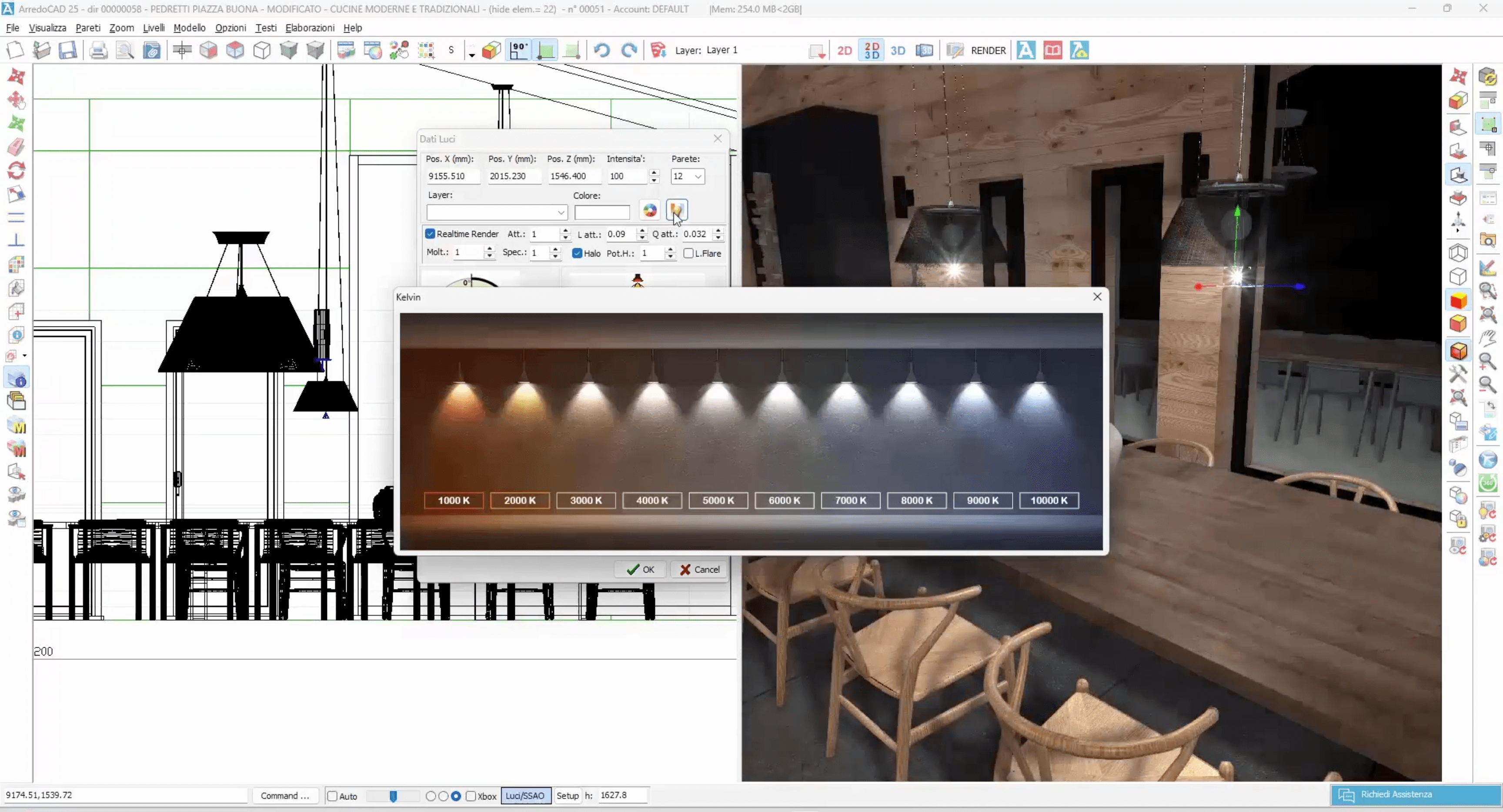
Light is one of the most crucial elements for a believable image. The lighting system in a photorealistic render is designed to simulate real-world light behavior.
Common combinations include:
- Directional light, to simulate the sun and cast sharp shadows
- Environmental HDRI, a high-dynamic-range panoramic image that naturally lights the scene, simulating a real sky
- Area, spot, and IES lights, to replicate light sources like spotlights, lamps, and neon lights. IES lights are especially useful to accurately simulate specific light fixtures
Framing and Composition
As in photography, choosing the right framing is key in rendering. Software allows settings similar to real cameras:
- Depth of field: keeps the subject in focus while blurring the background
- Exposure, ISO, aperture: control light quantity and visual impact of the image
Good composition improves project readability and visual impact.
Rendering
This is where the computer calculates the final image. The rendering engine simulates light rays (ray tracing or path tracing), computing reflections, refractions, and shadows for each pixel.
To speed up and improve quality, techniques include:
Adaptive sampling, focusing calculations on more complex areas
AI denoising, an artificial intelligence system to remove graininess
GPU rendering, using the video card to accelerate processing
Depending on complexity, rendering can take from a few minutes to several hours.
Post-Production
Once the render is complete, slight post-production can further enhance the final result.
Typical adjustments include:
- Contrast, color, and brightness adjustments
- Optical effects, like glow, bloom, and vignette
- 2D elements insertion, such as people, plants, or atmospheric effects to enrich the scene without heavy rendering
This stage adds an artistic touch, making the image more emotionally engaging.
Visit our News page to keep up to date about what is new.